





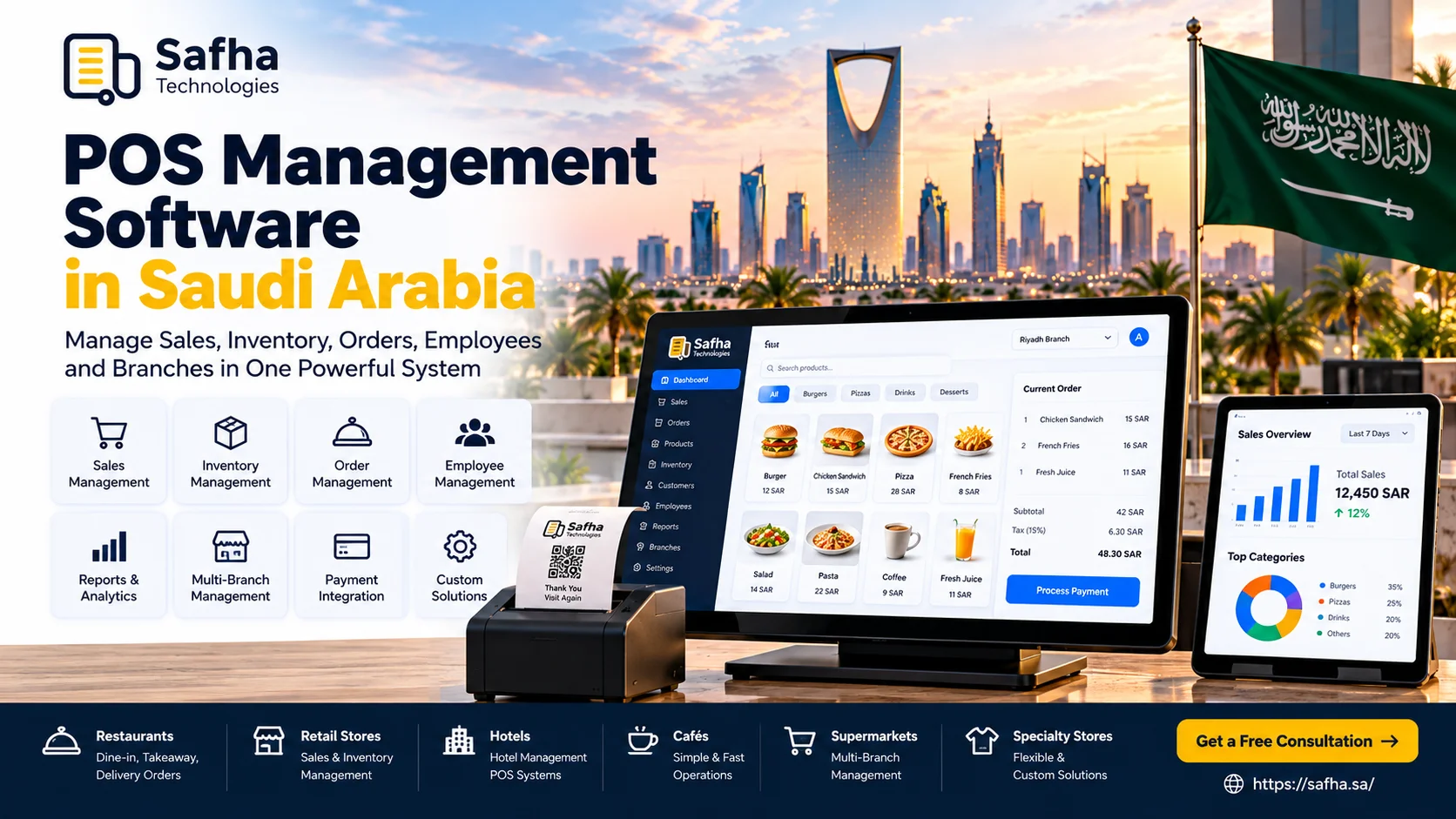
POS Management Software in Saudi Arabia: A Complete Guide
A modern POS management software in Saudi Arabia does much more than process payments. For restaurants, cafés, retail stores, supermarkets, and growing multi-branch businesses, a POS management system can bring sales, orders, inventory, employees, reporting, and branch operations together in one platform.
For businesses in Riyadh, Jeddah, Dammam, Al Khobar, and across the Eastern Province, choosing the right POS solution can make daily operations easier while giving business owners better visibility into what is happening across their stores or branches.
The right point of sale management software should fit the way your business actually works. It should be easy for staff to use, flexible enough to grow with the business, and capable of connecting with other systems when needed.
Key Takeaways
- POS management software goes beyond processing transactions.
- Modern POS systems can connect sales, inventory, orders, employees, and reporting.
- Retail and restaurant businesses have different POS requirements.
- Multi-branch businesses benefit from centralized management and reporting.
- Inventory integration can help businesses understand stock movement more accurately.
- A good POS management portal gives owners and managers access to important operational information.
- Businesses should consider integrations, usability, security, scalability, and support before choosing a POS provider.
What Is POS Management Software?
POS management software is a digital system used to manage sales transactions and other day-to-day business operations from a centralized platform.
Depending on the business, it can include:
- Sales management
- Order management
- Product management
- Inventory tracking
- Customer management
- Employee permissions
- Payment processing
- Sales reports
- Branch management
- Purchase management
- Discount management
- Business dashboards
A simple POS may only handle transactions, while a more advanced POS management system can connect multiple areas of the business.
This makes POS technology particularly useful for businesses that need more control over their daily operations.
How Does a POS Management System Work?
A POS system normally sits at the center of the sales process.
For example, in a retail store:
Product selected → Sale created → Payment processed → Receipt generated → Inventory updated → Sale recorded in reports
For a restaurant, the workflow can be more detailed:
Order taken → Table/order recorded → Kitchen receives order → Order prepared → Payment processed → Inventory updated → Sale appears in reports
When these processes are connected, managers do not have to rely on separate spreadsheets or manually combine information from different systems.
What Features Should a Modern POS Management System Have?
The right features depend on the type and size of the business.
1. Sales Management
A POS should make it easy for staff to create sales, apply discounts, process payments, and issue receipts.
2. Inventory Management
For businesses that sell physical products, inventory management is an important part of the POS.
The system can help businesses monitor:
- Available stock
- Product movement
- Low-stock items
- Stock adjustments
- Purchases
- Product quantities
3. Order Management
Restaurants and food businesses may need additional order management features for dine-in, takeaway, delivery, and other order types.
4. Employee Management
Businesses can control user permissions and assign different access levels to cashiers, supervisors, managers, and administrators.
5. Reporting and Analytics
Managers can review sales and operational information through reports and dashboards.
Useful reports may include:
- Daily sales
- Product sales
- Payment methods
- Inventory
- Discounts
- Employee activity
- Branch performance
6. Multi-Branch Management
Businesses with several locations can benefit from centralized management, allowing owners to monitor different branches from one system.
POS Management Software for Retail Businesses
Retail businesses often need a POS system that connects sales and inventory.
A retail POS can help manage:
- Product catalogues
- Product variations
- Barcodes
- Stock quantities
- Purchases
- Sales
- Returns
- Discounts
- Customers
- Suppliers
- Branches
For a growing retailer in Riyadh or Jeddah, for example, a centralized POS can make it easier to monitor sales across multiple locations rather than managing every branch separately.
POS Management Systems for Restaurants and Hotels
Restaurants have different requirements from traditional retail stores.
A restaurant POS may need to support:
- Table management
- Dine-in orders
- Takeaway orders
- Delivery orders
- Menus
- Kitchen operations
- Waiter ordering
- Order modifications
- Split bills
- Discounts
- Inventory
- Recipe-based stock management
- Sales reporting
Hotels and larger hospitality businesses may require even broader integrations between POS, restaurant operations, reservations, accounting, and other hotel systems.
The best approach depends on the size and operational structure of the business.
What Is a POS Management Portal?
A POS management portal is the administrative side of a POS system where owners and managers can monitor and control business operations.
Instead of only using the cashier terminal, managers can access information such as:
- Sales
- Products
- Inventory
- Employees
- Branches
- Customers
- Reports
- Settings
- Permissions
A well-designed portal can make it easier for management teams to understand business performance without being physically present at every location.
Why Saudi Businesses Need the Right POS System?
Saudi businesses operate across a wide range of industries, from cafés and restaurants to retail stores, supermarkets, hospitality businesses, and service companies.
A POS system should therefore be selected according to the actual business model.
For businesses in Saudi Arabia, important considerations can include:
- Arabic and English interfaces
- Local payment requirements
- Digital receipts
- Inventory management
- Multi-branch operations
- Restaurant workflows
- Retail workflows
- Accounting integrations
- ERP integrations
- Customer management
- Business reporting
- Secure user permissions
The requirements of a small café in Al Khobar may be very different from those of a retail chain operating across Riyadh, Jeddah, and Dammam.
Benefits of POS Management Software
Better Operational Visibility
Managers can see sales, inventory, and operational information in one place.
Improved Inventory Control
Connecting sales with inventory can help businesses understand which products are moving and when stock needs attention.
Faster Daily Operations
A well-designed POS can simplify common tasks for cashiers, waiters, managers, and supervisors.
Centralized Branch Management
Multi-location businesses can manage important information from one platform.
Better Business Decisions
Accurate reports can help owners understand sales trends, product performance, and branch activity.
Reduced Manual Work
Automating repetitive processes can reduce the need for manual data entry and separate spreadsheets.
How to Choose POS Management Software in Saudi Arabia?
Before choosing a POS provider, ask the following questions:
Does it fit my business?
A restaurant, retail store, café, supermarket, and hotel may require different workflows.
Is it easy for employees to use?
A complicated POS can slow down operations and increase training requirements.
Can it manage inventory?
If inventory is important to your business, make sure the POS supports the level of stock management you need.
Can it support multiple branches?
If you plan to expand, consider whether the system can manage multiple locations.
Can it integrate with other systems?
Consider integrations with accounting, ERP, CRM, e-commerce, delivery platforms, or other systems used by your business.
Does it provide useful reports?
The system should provide the information management needs to make decisions.
What support is available?
Ask about implementation, training, technical support, maintenance, and future updates.
Safha Technologies’ POS Approach
Safha Technologies provides digital business solutions that can include POS, ERP, CRM, custom software, business automation, mobile applications, websites, and system integrations.
For businesses that need a POS solution, the focus should be on understanding the actual operational workflow before selecting or developing the system.
Depending on the requirements, a POS project can involve:
- POS implementation
- POS customization
- Retail POS
- Restaurant POS
- Inventory management
- Multi-branch management
- Reporting dashboards
- ERP integration
- CRM integration
- E-commerce integration
- Business automation
- User and role management
The objective is not simply to install a cashier system. The goal is to create a connected operational environment that helps the business work more efficiently.
Conclusion
The right POS management software in Saudi Arabia can become an important part of a business’s daily operations. It can connect sales, inventory, orders, employees, branches, reporting, and other business processes in one system.
Whether you operate a restaurant in Riyadh, a retail store in Jeddah, a café in Al Khobar, or a multi-branch business across the Eastern Province, your POS should be selected around your actual workflow and future growth.
Safha Technologies can help businesses explore POS, ERP, automation, and other digital solutions based on their operational requirements.
Looking for a POS Management Solution?
Discuss your business requirements with Safha Technologies and explore the right digital solution for your business.