





Introduction
Running a restaurant involves much more than taking orders and collecting payments. Restaurant owners and managers need to manage menus, tables, orders, inventory, staff, customers, payments, delivery, and daily sales—all while keeping operations fast and organized.
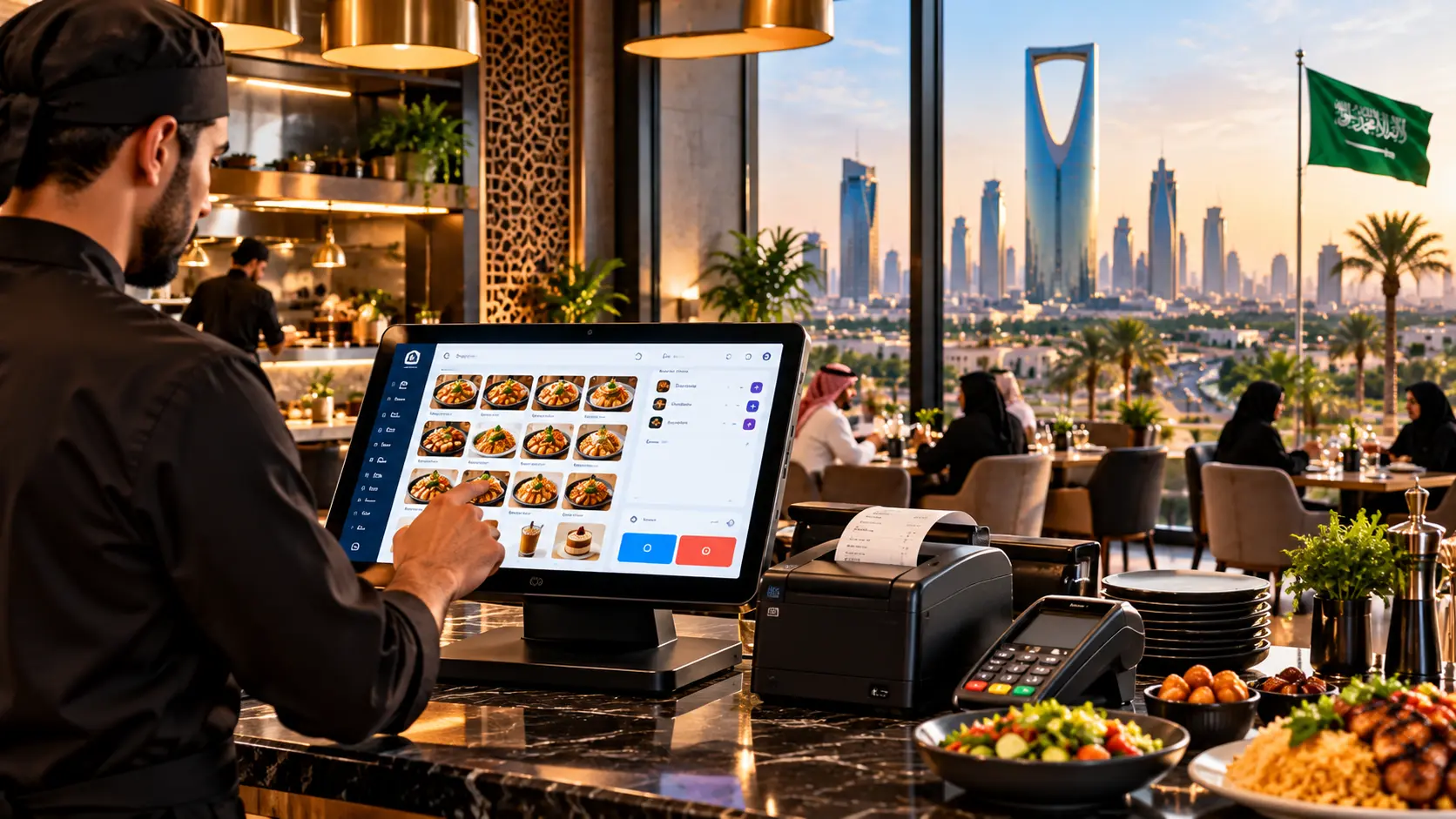
A modern POS software for restaurant businesses can bring these activities together in one connected system. A well-designed restaurant POS can help staff process orders faster, connect sales with inventory, manage tables, monitor branch performance, and provide useful reports for business owners.
For restaurants in Saudi Arabia, including Riyadh, Jeddah, Dammam, Al Khobar, and the Eastern Province, the POS system should also take local operational requirements into account. Electronic invoicing is an important consideration: ZATCA requires taxpayers subject to e-invoicing regulations to use compliant electronic invoicing solutions, with Phase 2 integration implemented in waves.
Safha Technologies provides digital solutions including POS, custom software, business automation, Odoo ERP, CRM, mobile applications, websites, and UI/UX development.
Key Takeaways
- Restaurant POS software connects sales, orders, payments, tables, and other restaurant operations.
- A POS can be connected with restaurant inventory software to improve stock visibility.
- Modern restaurant POS systems can support dine-in, takeaway, and delivery workflows.
- Multi-branch restaurants can use centralized reporting and branch-level management.
- Saudi restaurants need to consider electronic invoicing requirements when selecting or developing a POS solution.
- Arabic and English interfaces can be important for restaurants operating in Saudi Arabia.
- A good POS should be easy for employees to use during busy operating hours.
- The right system should be scalable enough to support future branches, users, products, and integrations.
What Is POS Software for a Restaurant?
POS software for restaurant businesses is a digital system used to process sales and manage restaurant transactions.
However, a modern restaurant POS is more than a digital cash register.
Depending on the restaurant’s requirements, the system can include:
- Order management
- Menu management
- Table management
- Payment processing
- Inventory management
- Customer management
- Employee permissions
- Kitchen order management
- Delivery orders
- Discounts and promotions
- Sales reports
- Branch management
- Purchase management
- Business dashboards
The POS becomes more valuable when it connects with other restaurant operations instead of functioning as an isolated billing system.
What Should a Restaurant POS System Include?
The right features depend on the restaurant’s size and operating model, but several functions are particularly useful.
Order Management
Employees should be able to create, edit, cancel, and track orders according to their permissions.
The system can support different order types, including:
- Dine-in
- Takeaway
- Pickup
- Delivery
Menu Management
Managers can manage:
- Categories
- Products
- Prices
- Modifiers
- Add-ons
- Product availability
- Special instructions
Table Management
For dine-in restaurants, the POS can connect orders with specific tables.
Depending on the system, employees may be able to:
- View table availability
- Move orders between tables
- Merge tables
- Split bills
- Assign customers to tables
- View table status
Payment Management
The POS should support the payment methods required by the restaurant and maintain an organized record of completed transactions.
Sales Reporting
Restaurant owners can use sales reports to review information such as:
- Daily sales
- Product sales
- Order volume
- Payment methods
- Branch sales
- Sales by employee
- Sales by category
Restaurant Inventory Software and POS
A restaurant POS becomes significantly more useful when it is connected to restaurant inventory software.
Without an integrated inventory process, restaurant managers may have to update stock information manually after sales and purchases.
A connected system can help manage:
- Ingredients
- Raw materials
- Products
- Suppliers
- Purchases
- Stock movements
- Wastage
- Consumption
- Reordering
- Branch inventory
For restaurants that use recipes, the system can also associate menu items with their required ingredients.
For example, when a specific meal is sold, the system can be configured to reflect the associated ingredient consumption according to the restaurant’s defined recipe.
This provides managers with better visibility into stock and purchasing requirements.
POS System Software for Small Business
A small restaurant does not necessarily need the same system as a large restaurant group.
POS system software for small business should focus on the functions that the restaurant actually needs.
A small café or restaurant may require:
- Fast order entry
- Menu management
- Payment processing
- Basic inventory
- Employee permissions
- Sales reports
- Customer records
- Simple table management
The system should also be easy to learn.
An overly complicated interface can slow employees down, particularly during busy periods.
For small businesses, scalability is also important. The system should allow the business to add more products, employees, integrations, or branches when required.
POS System Software for Retail Stores
Although restaurants have specific requirements, POS technology is also widely applicable to retail businesses.
POS system software for retail stores can include:
- Product management
- Barcode scanning
- Inventory
- Sales
- Customer management
- Purchase management
- Supplier management
- Discounts
- Returns
- Sales reports
- Multi-branch management
The key difference is that restaurant POS systems often need additional functions for tables, kitchen orders, modifiers, recipes, and restaurant-specific workflows.
Businesses that operate both retail and food-service activities may require a broader system that can support different business models.
How Does a Restaurant POS System Work?
A typical restaurant POS workflow can look like this:
Step 1: Customer Places an Order
The employee records the customer’s order in the POS.
Step 2: Order Is Sent to the Kitchen
The order can be transmitted to the appropriate kitchen station or printer according to the restaurant’s setup.
Step 3: Order Status Is Updated
The restaurant team can track the order through the relevant stages.
Step 4: Inventory Is Updated
If inventory integration is configured, the system can reflect the consumption of the relevant products or ingredients.
Step 5: Payment Is Processed
The customer completes payment using the supported payment method.
Step 6: Invoice Is Generated
The system generates the required electronic invoice according to the applicable configuration.
In Saudi Arabia, businesses subject to e-invoicing requirements must use compliant electronic invoicing solutions. ZATCA’s published requirements include technical specifications for electronic invoices and their integration.
Step 7: Data Appears in Reports
The transaction becomes part of the restaurant’s sales and operational reporting.
POS and Electronic Invoicing in Saudi Arabia
For restaurants operating in Saudi Arabia, electronic invoicing should be considered when selecting or developing a POS system.
ZATCA states that e-invoicing is implemented in two phases. Phase 1 requires compliant electronic invoice generation, while Phase 2 requires integration with ZATCA systems and is being implemented in waves.
For simplified tax invoices, ZATCA specifies requirements including a QR code generated by the compliant e-invoicing solution.
ZATCA also publishes technical specifications covering electronic invoice data, formats, security requirements, and integration.
This means a restaurant choosing POS software should consider not only sales functionality but also how its electronic invoicing setup meets applicable requirements.
Benefits of Restaurant POS Software
Faster Order Processing
A well-designed POS can make order entry faster and reduce unnecessary manual steps.
Centralized Sales Information
Restaurant owners can access sales information from one system rather than relying on separate records.
Better Inventory Visibility
When POS and inventory are connected, sales information can be used to support inventory tracking.
Easier Table Management
Dine-in restaurants can connect orders and bills with table information.
Better Employee Control
Role-based permissions allow managers to control which functions employees can access.
Multi-Branch Management
Restaurant groups can use centralized reporting and branch-specific controls.
Improved Reporting
Management can review sales and operational information through reports and dashboards.
Business Automation
A connected POS can become part of a broader restaurant automation system involving inventory, purchasing, CRM, accounting, and reporting.
POS Software for Restaurants in Saudi Arabia
Restaurants in Riyadh, Jeddah, Dammam, Al Khobar, and the Eastern Province operate under different business models.
Some are independent restaurants, while others operate cafés, bakeries, cloud kitchens, catering operations, or multiple branches.
A restaurant POS solution in Saudi Arabia may need to support:
- Arabic and English interfaces
- Electronic invoicing requirements
- Restaurant-specific sales workflows
- Multiple payment methods
- Inventory management
- Branch management
- Employee permissions
- Delivery operations
- Customer management
- Reporting
- Integration with other business systems
The exact requirements depend on the restaurant’s operations and existing technology environment.
POS for Multi-Branch Restaurants
Managing several restaurant branches requires more than installing the same POS at every location.
A centralized restaurant POS can potentially provide:
- Branch-level sales
- Centralized menu management
- Branch inventory
- Employee management
- Purchasing
- Customer information
- Consolidated reporting
- Branch-specific permissions
- Central management
For restaurant groups, this can make it easier to maintain consistent processes while allowing each branch to manage its daily operations.
Restaurant POS and Delivery Management
Modern restaurants may receive orders through several channels.
These can include:
- In-store orders
- Phone orders
- Website orders
- Mobile applications
- Delivery platforms
- Pickup orders
A restaurant POS can be connected with the restaurant’s ordering workflow so that information is managed more centrally.
Depending on the required integrations, the system can help coordinate:
Order → Kitchen → Payment → Delivery → Customer → Report
The exact integrations depend on the restaurant’s platforms and technical requirements.
Restaurant POS Design and User Experience
A restaurant POS needs to be designed for real-world use.
Employees may have only a few seconds to enter an order during busy periods.
Therefore, the interface should prioritize:
Simple Navigation
Frequently used functions should be easy to find.
Fast Order Entry
Employees should be able to add products, modifiers, and notes quickly.
Clear Table Layout
Dine-in restaurants can benefit from a visual table map.
Clear Order Status
Staff should easily understand whether an order is new, being prepared, ready, or completed.
Role-Based Access
Cashiers, waiters, managers, and administrators can have different permissions.
Arabic and English Support
Restaurants serving multilingual teams or customers may benefit from bilingual interfaces.
How to Choose the Right Restaurant POS Software?
Before choosing a POS system, restaurant owners should evaluate the following.
Restaurant Size
A small café may need a simpler solution than a restaurant group with dozens of branches.
Required Features
Identify the functions actually needed:
- POS
- Inventory
- Tables
- Kitchen
- Delivery
- Customers
- Employees
- Purchasing
- Reports
- Branches
Integrations
Check whether the POS can connect with:
- Accounting systems
- ERP
- CRM
- Payment solutions
- Delivery platforms
- Websites
- Mobile applications
Ease of Use
Employees should be able to learn the system quickly.
Scalability
The system should be able to accommodate additional users, products, transactions, and branches.
Electronic Invoicing
For Saudi businesses subject to e-invoicing requirements, verify that the solution supports the applicable ZATCA requirements. ZATCA notes that taxpayers may use an e-invoicing solution provider as long as the solution complies with the applicable requirements.
Support and Maintenance
Understand how technical support, updates, troubleshooting, and future improvements will be handled.
Custom POS Software Development
Some restaurants may find that existing POS products do not match their workflows.
In such cases, custom POS software development can provide greater flexibility.
A customized restaurant POS can be developed with:
- Custom order workflows
- Special pricing rules
- Custom inventory logic
- Multi-branch management
- Custom reports
- Employee permissions
- Restaurant-specific dashboards
- Delivery integrations
- Customer applications
- Website ordering
- Business automation
The goal should be to build only the functionality the restaurant actually needs.
Safha Technologies’ Approach to Restaurant POS Solutions
Safha Technologies develops customized digital solutions based on business requirements.
For restaurant businesses, the solution can combine:
- POS development
- Restaurant management systems
- Inventory management
- Customer management
- Custom software
- Odoo ERP
- CRM
- Website development
- Mobile application development
- UI/UX design
- Business automation
- Reports and dashboards
- System integrations
The process begins with understanding the restaurant’s operations, branches, employees, ordering channels, inventory process, and existing systems.
The objective is to create a practical digital solution that supports current operations while allowing the restaurant to expand its technology as the business grows.
Conclusion
A modern POS software for restaurant businesses can do much more than process payments. When properly designed, it can connect orders, tables, inventory, employees, customers, branches, reporting, and other business operations.
For restaurants in Saudi Arabia, the POS should also be evaluated in relation to applicable electronic invoicing requirements. ZATCA provides technical and business requirements for compliant electronic invoicing solutions, including requirements relevant to POS-based environments.
Whether you operate a small café, an independent restaurant, a bakery, a cloud kitchen, or a multi-branch restaurant group, the right POS should be selected according to your actual workflows and future requirements.
Safha Technologies helps businesses develop and integrate digital solutions including POS, restaurant management systems, ERP, CRM, custom software, mobile applications, websites, and business automation.
Build a POS System for Your Restaurant
Looking for POS software for restaurant operations in Saudi Arabia?
Discuss your requirements with Safha Technologies and explore a POS solution designed around your restaurant’s workflow.